Most AI teams have the same quiet bottleneck. It is not always compute. It is iteration.
You want to try a new model variant, adjust a retrieval pipeline, validate quantization choices, or test latency under realistic batching. Those are not “cluster jobs” in the traditional sense, but they are also not comfortable on a typical developer workstation once model sizes and memory behavior start to matter. Cloud can solve it, but it adds cost, process overhead, and data governance complexity.
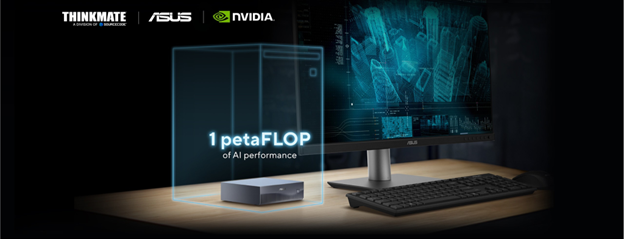
The ASUS Ascent GX10 is interesting because it targets this exact gap. It is one of the first compact systems built on the NVIDIA GB10 Grace Blackwell Superchip, a design that brings the CPU and GPU closer together than the standard discrete workstation approach. The result is a small desktop node that behaves more like a purpose-built AI development system than a general workstation.
This article explains what that means in practice. Not a spec dump. Not a product pitch. A practical guide to where the GX10 fits, what it is good at, and how to compare it to the two alternatives most teams will consider.
Start With the Right Question
Most workstation buying decisions begin and end with VRAM. That works until it does not.
When teams say they are “running out of GPU,” they often mean one of these things:
● The model does not fit comfortably in the GPU memory footprint they have.
● Their pipeline spends too much time moving data between CPU memory and GPU memory.
● They are juggling too many tools at once, so memory is fragmented across processes.
● They cannot test locally without cutting corners that make results less trustworthy.
The GX10 is designed for teams who keep hitting that second category. The bottleneck is not only how fast the GPU is. It is how efficiently the system feeds the GPU and how painful it is to iterate locally.
What Makes GB10 Different
Traditional workstation architecture is discrete. The CPU owns system memory. The GPU owns VRAM. The system moves tensors, weights, and activations across PCIe when work transitions between the two.
GB10 changes that relationship. It is a tightly integrated CPU and GPU design that emphasizes coherence and memory behavior that is closer to a unified system than a classic workstation split.
The practical implication is simple:
If your development workflow is dominated by “move data, then compute,” this platform is built to reduce those stalls.
If your development workflow already fits neatly in VRAM and stays there, the benefit is smaller and a traditional workstation can be the better value.
GX10 as a Machine Category
It helps to place the GX10 in the lifecycle.
Think of it as a local AI node for the work you do before scaling. Model iteration, tooling, evaluation, packaging, and validation. It is designed to let you do more of that work locally with fewer compromises, then move the workflow to larger systems when it is ready.
A GPU workstation is still the best answer when you want maximum flexibility, broad compatibility, and easy GPU swapping.
A compact server is still the best answer when you want shared access, serviceability, remote management, and a design built for operational uptime.
GX10 sits between those. It is for teams who want local AI capability that feels more like the bigger stack they will ultimately deploy on, but in a small, accessible footprint.
What GX10 Gets Right
The GX10’s configuration leans into large unified memory. In day-to-day terms, that changes how often you are forced to downsize a model, over-compress a dataset, or split work into awkward stages.
It is not magic, and it is not infinite. It is simply a more forgiving environment for local iteration.
A good development machine is not only hardware. It is the environment. Teams care about repeatability, tooling, and the ability to port work from local to larger systems without a rewrite.
GX10’s alignment with NVIDIA’s reference platform approach matters here. It supports a workflow mindset where local development is not an island.
Many small desktop systems assume you will work locally and stop there. GX10’s networking story suggests something else. The platform is designed to participate in high-speed data movement patterns and cluster-adjacent workflows when needed.
Even if you never cluster it, that design intent is important. It influences the kind of work the system expects to do.
Where a Traditional GPU Workstation Still Wins
If your team’s workflow looks like this, a workstation is usually the right tool:
● You need to test a variety of GPUs over time.
● You care about a broader set of applications beyond AI.
● You want maximum GPU performance per dollar in a familiar form factor.
● Your models and pipelines already fit within VRAM without excessive CPU to GPU churn.
Workstations also remain the simplest answer for teams who want a single machine that does everything reasonably well.
Where a Compact AI Server Still Wins
A compact server wins when you need any of the following:
● Multi-user access with predictable uptime expectations
● Remote management as a requirement, not a nice-to-have
● More internal storage options and serviceability
● A deployment model that looks like infrastructure, not a developer node
If the machine is going to serve production inference, shared experimentation, or a lab environment with multiple stakeholders, a server design is often a better fit.
The Decision Guide
If it is only VRAM, you can often solve it by choosing the right workstation GPU configuration.
If it is friction, such as constant memory juggling, pipeline stalls, or compromises that make results unreliable, GX10 is worth a serious look.
If swapping GPUs is part of your process, a workstation remains the best match.
GX10 is not intended to be a constantly changing test bench.
If you expect to scale into larger NVIDIA environments, a local system that maps cleanly to that ecosystem can reduce effort later. It can also make early experimentation more representative of production behavior.
What We Recommend at Thinkmate
When teams ask, “Should we buy this?” the best answer comes from how they work:
● What model sizes do you run today, and what sizes do you expect next?
● Are you optimizing for latency, throughput, or iteration speed?
● Where does your data live, and how do you move it during development?
● Will this be a single-user development system or a shared resource?
From there, most recommendations fall into one of three buckets:
● GX10 as a local AI development node for model and pipeline iteration
● A GPU workstation when flexibility and broad usage are priorities
● A compact server when shared access and operational requirements dominate
Bottom Line
The ASUS Ascent GX10 is best understood as a new category of desktop AI system. It is designed to make local model development less constrained, especially when memory behavior and CPU to GPU transitions are the daily friction points.
If you want a general-purpose workstation, buy a workstation.
If you want infrastructure, buy a server.
If you want a compact, AI-first node that is built around the realities of modern model development, GX10 is the kind of system that is worth evaluating on its workflow impact, not just its headline specs.
Why Thinkmate
Want help choosing between GX10, a GPU workstation, or a compact AI server based on your model size, storage, and networking needs? Contact us at tmsales@thinkmate.com or visit our website at www.thinkmate.com for more information.